
Linux System Administrator Interview Questions With Answer Examples
Linux system administrator interview questions with real answer examples for permissions, troubleshooting, and shell tasks. Prep smarter today.

Good questions for a Linux system administrator interview get answered with a command, a file path, or a real fix, not a definition you memorized. If someone asks how you would troubleshoot a permissions issue and you can only recite "rwx" from memory, that answer falls flat with most hiring managers. Permissions questions are where even admins with five or ten years of experience stumble, because the job rarely tests raw knowledge. It tests whether you can walk through a problem out loud the way you would at 2am with a server down.
What follows are answers you can actually give in a room, built around real commands and real scenarios, not a list of questions to memorize and hope for the best. Each one shows the kind of thinking an interviewer is listening for: what you would check first, what command you would run, and why that order matters.
Table of Contents
Why Linux Interviews Focus On These Four Skill Areas
Hiring managers test permissions, processes, boot sequences, and shell scripting because those four things cover almost every ticket a sysadmin touches in the first month on the job. A new hire who can't read a process list or trace a boot failure will struggle on day one, long before anyone cares about advanced topics. These areas also map directly to how a system fails: a locked-out user, a runaway process, a server that won't come back up, a repetitive task nobody automated.
Each skill area signals something different about how a candidate works, not just what they know. A table makes the mapping clear.
| Skill area | What it tests | Real job scenario |
|---|---|---|
| Permissions | Attention to detail, security awareness | A user can't access a shared folder after a group change |
| Processes | Diagnostic thinking under load | A server slows to a crawl and CPU usage spikes |
| Boot sequence | Depth of system knowledge | A server won't start after a kernel update |
| Shell scripting | Ability to automate repeat work | Same manual cleanup task is eating an hour every week |
None of these are trick questions. They're the same four situations that show up on a pager at odd hours, so interviewers use them to see how you'd actually handle the call.
File Permissions And Ownership Questions
Chmod 755 questions test whether you know what each digit does, not whether you can recite the word "permissions." The first digit, 7, gives the owner read, write, and execute, while the matching 5s give the group and everyone else read and execute with no write access. A shared web directory is the classic example: the owner needs full control, everyone else just needs to run or read files.
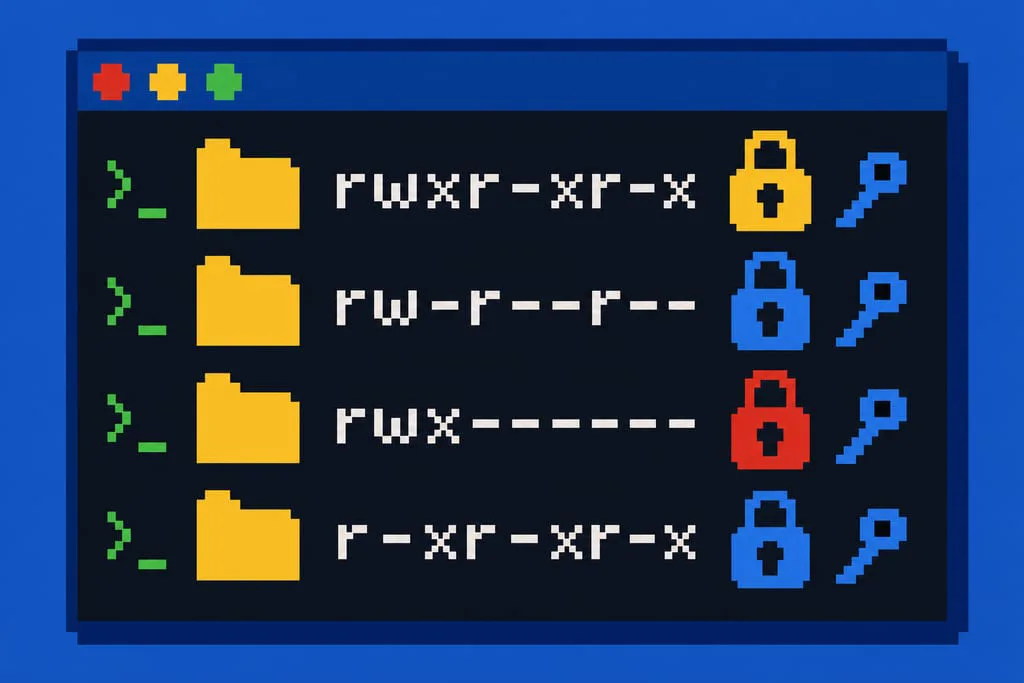
Hard links and symbolic links get asked because they test how well you understand the filesystem. A hard link shares the same inode as the original, so deleting the original leaves it intact, while a symbolic link just points to a path and breaks if that path moves. A good answer names a real fix, like rebuilding a broken symlink in /etc/nginx/sites-enabled after a file got moved during cleanup.
- chmod 755: owner full access, group and others read and execute
- chmod 644: owner read and write, everyone else read only
- chmod 600: owner only, used for private keys and credentials
- umask 022: removes write access for group and others on new files
Umask decides the starting permission a new file gets before anyone touches chmod, and a misconfigured umask is a common root cause behind permission tickets that otherwise make no sense.
Process And Service Troubleshooting Questions
When a service won't start, the right answer starts with systemctl status, not a guess. Run systemctl status servicename first to see the exit code and last log lines, then follow with journalctl -u servicename for the full history, since most failures trace back to a bad config file, a port already in use, or a permissions problem on a file the service needs.
Finding what's eating CPU or memory follows the same order: top or htop first for a live view, then ps aux to grab the exact process and its parent. A strong answer narrates it out loud: check top, see a process pinned at 100 percent, grab its PID, check what it's doing, then decide whether to restart it or let it finish.
- Run systemctl status to read the exit code and last log lines
- Check journalctl -u for the full service history
- Open top or htop to see what's using CPU and memory right now
- Use ps aux to identify the exact process and its parent
- Check disk space with df -h, since a full disk silently kills services too
The order matters more than the tool list: checking logs before you restart a service is what separates a real fix from a lucky guess.
Boot And Recovery Interview Questions For Sysadmins
Interviewers walk through the boot sequence to see if you understand the machine beneath the shell. The real order is BIOS or UEFI, then GRUB, then the kernel loads, then systemd starts targets in sequence until it reaches the default target, usually multi-user or graphical, and naming that chain in order separates a solid answer from a vague one.
When a server won't boot, start at the console, not the network, since a broken network stack often makes a box look unreachable. Check the GRUB menu first for kernel panic messages, then boot into rescue or single-user mode for a shell without starting every service. A real outage story works here: a kernel update left a bad initramfs, and booting the previous kernel entry from GRUB got the box back online while the fix got tested properly.
- Check the console or IPMI output first, before assuming it's a network issue
- Read the GRUB menu for kernel panic or filesystem errors
- Boot into rescue or single-user mode to get a working shell
- Check systemctl get-default and the unit that's failing to start
- Roll back to the previous kernel if the latest update caused the failure
Always name the actual boot order, BIOS or UEFI, GRUB, kernel, systemd targets, since skipping a step is the fastest way to lose points here.
Shell Scripting And Automation Questions
A script to delete files older than 30 days usually comes down to one line: find /path/to/logs -type f -mtime +30 -exec rm {} \;. Explain it piece by piece: -type f limits it to files, -mtime +30 catches anything older than 30 days, and -exec rm runs the delete on each match. Mention testing it with -print instead of -exec rm first, so you see what would get deleted before anything actually does.
Automating a repetitive task is really a question about whether you reach for scripts before the third time doing something by hand. A cron job that runs cleanup nightly, a loop that checks disk space across a list of servers, or a variable-driven script that takes a hostname as input are all fair answers. Name the actual tools: cron for scheduling, a bash loop for repetition, variables so the script isn't hardcoded to one server.
- Write the script with a dry-run mode before it ever deletes anything
- Schedule it with cron and log the output to a file you can check later
- Use variables for paths and hostnames so the script works on more than one box
- Pipe output through grep or awk to filter what actually matters
Test with -print before you ever run -exec rm, because a dry run is the difference between a clean script and a resume-generating event.
Memorized Answer Or Real Story, Which One Gets The Offer
A hiring manager can always tell the difference between a definition and a story. The candidate who says "chmod changes permissions" is giving a textbook line, while the candidate who says "I had a web directory where the group couldn't write, so I checked the umask and found it set to 027" is giving proof. Proof is what gets remembered after the call ends.
Memorized answers and reasoned answers land differently in the room, and the gap matters more than most candidates expect.
| Type of answer | What it sounds like | What it signals |
|---|---|---|
| Memorized definition | Textbook phrasing, no detail | Studied for the test, not the job |
| Explained reasoning | Walks through steps and why | Can think under pressure |
| Real example | Names a server, a bug, a fix | Has actually done the work |
Companies hiring for infrastructure roles test for this same hands-on habit, not just correct terminology. Once you've got these answers down, it helps to point them at roles that actually match, which is the kind of filtering a board built for sysadmin and infrastructure jobs, like Sysadmin Jobs, is made for.
Say Your Answers Out Loud Before You Apply
Pick three of these questions and answer them out loud, not in your head, before you walk into any interview. Saying "I'd run systemctl status first, then check journalctl" into an empty room feels strange, but it catches the gaps that silent review never does. Once you can get through permissions, boot order, and a scripting example without stalling, you're ready to apply, not before. Go after roles that match what you can actually back up with a story, not every title with "Linux" in it. Sysadmin Jobs lists openings by role, so you can filter for system administrator or network admin work instead of digging through postings aimed at developers.
Common Worries About Linux Interviews
Do I need to memorize every Linux command before the interview?
No, you need to know the handful you'd actually use under pressure. Interviewers care more about whether you can explain why you ran systemctl status before journalctl than whether you can rattle off every flag a command supports. Knowing five commands cold beats knowing fifty by half.
What if the interviewer asks about a distro I've never used?
Say which distro you know best, then explain how the logic carries over. Package managers differ, apt on Ubuntu versus yum or dnf on RHEL, but permissions, processes, and boot order work the same everywhere. An interviewer wants to see that you understand the underlying system, not that you've memorized every flavor of Linux on the market.
Is it normal to feel underqualified for a sysadmin interview?
Yes, and most people feel this way walking in, even ones who get the offer. Help desk staff moving into sysadmin work often worry they haven't touched enough servers yet. The fix isn't more studying, it's picking two or three real tickets you've handled and being ready to walk through them out loud.
Where can I find sysadmin jobs that actually match my skill level?
Sysadmin Jobs lists openings by role, so a help desk tech or a new network admin can filter for jobs that fit where they actually are, instead of scrolling past senior architect postings mixed in with developer roles. The site pulls direct postings from companies hiring now, with salary ranges and work arrangement shown on each listing.